How to Export Protocol and Schedule CSV Summaries
Direct answer
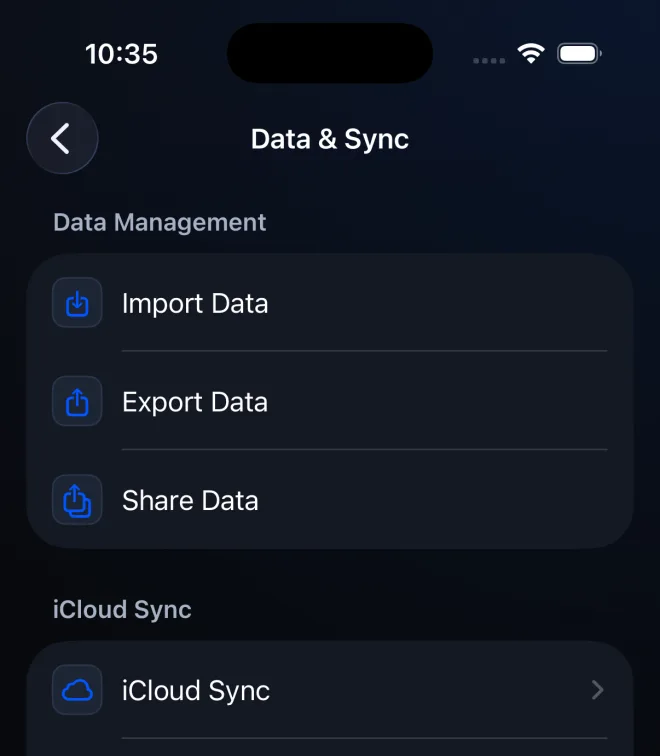
Go to Settings > Data & Sync > Share Data, choose Export Protocols or Export Schedules, select the records, tap Share, then choose a private destination in the iOS share sheet. These readable CSV summaries cannot be imported in PeptideCalc 2.7.7.
Share Data creates clean CSV summaries for another person to read. Use Export Protocols for saved protocol information or Export Schedules for schedule information.
These files can contain private treatment information. Share only with an intended recipient, and use Export Data instead when you need a restorable backup.
Scope: This page explains PeptideCalc controls and software workflows. It does not choose a medication, dose, liquid, syringe mark, preparation method, or administration technique. Use the product label and instructions from a licensed clinician or pharmacist to decide whether any input or result is appropriate. Share Data CSV files are view-only summaries in PeptideCalc 2.7.7. They are not backups and cannot be imported through Import Data.
These labels and steps were checked in the public PeptideCalc 2.7.7 app on .
See the steps in PeptideCalc
Step-by-step instructions
Step 5: Choose a private destination
In the iOS share sheet, save or send the file only to the intended destination or recipient.
Questions about this PeptideCalc workflow
Can I import a Share Data CSV back into PeptideCalc?
No. In PeptideCalc 2.7.7, Share Data CSV files are readable summaries and cannot be imported through Settings > Import Data.
What should I use for a restorable backup?
Use Settings > Data & Sync > Export Data. A JSON export or Backup CSV from Export Data contains a restore payload; Share Data CSV does not.
Are shared CSV files private?
They may contain sensitive treatment, protocol, or schedule information. Review the selection and share only with an intended recipient.
Can Share Data export anything else?
The Share Data sheet also offers Export Inventory and Export Dose History. This guide focuses on the readable protocol and schedule CSV summaries.
Can I share a PeptideCalc protocol with my clinician?
You can create a readable protocol CSV summary and choose an intended recipient in the iOS share sheet. Review the selected records first because the file may contain private treatment information. The recipient receives a readable summary, not an importable PeptideCalc backup.
Follow the steps in PeptideCalc
Check Apple's listing for the current price, compatibility, and availability.

Related PeptideCalc resources
Browse all PeptideCalc tutorials.