Storage, sync, and diagnostics
Private Peptide Tracker for iPhone and iPad
PeptideCalc does not require an app account and uses local app storage for core records by default, subject to Apple device backup or restore, while offering optional iCloud sync and using disclosed analytics and diagnostics.
The Apple Health integration is optional and read-only: imported Health samples stay device-local and are excluded from PeptideCalc iCloud Sync, app-created backups, and exports. Analytics and crash or diagnostic processing still occur as described in the Privacy Policy.

$4.99 once · iPhone and iPad · iOS 18.6 or later
Product facts
- Platform
- iPhone and iPad running iOS or iPadOS 18.6 or later.
- Price
- $4.99 as a one-time App Store purchase.
- Account
- No PeptideCalc account is required.
- Sync
- Optional iCloud sync is available for supported app data across signed-in Apple devices.
PeptideCalc uses app analytics and crash or diagnostic reporting as described in its Privacy Policy.
What it does
Privacy-relevant behavior confirmed in the iOS app
No separate app login
PeptideCalc does not require a PeptideCalc account. Optional iCloud sync uses the Apple Account signed in on the device rather than a separate app credential.
On-device by default
iCloud sync starts off, so core records use the app container on the device unless you enable supported-data sync. Apple device backup and restore may still include that local container.
Optional iCloud sync
You can enable iCloud sync for supported app data across signed-in Apple devices and later pause that traffic from PeptideCalc settings.
Read-only Apple Health import
Apple Health access is optional and read-only. Imported samples stay device-local and are excluded from PeptideCalc iCloud Sync, app-created backups, and exports.
Separate data controls
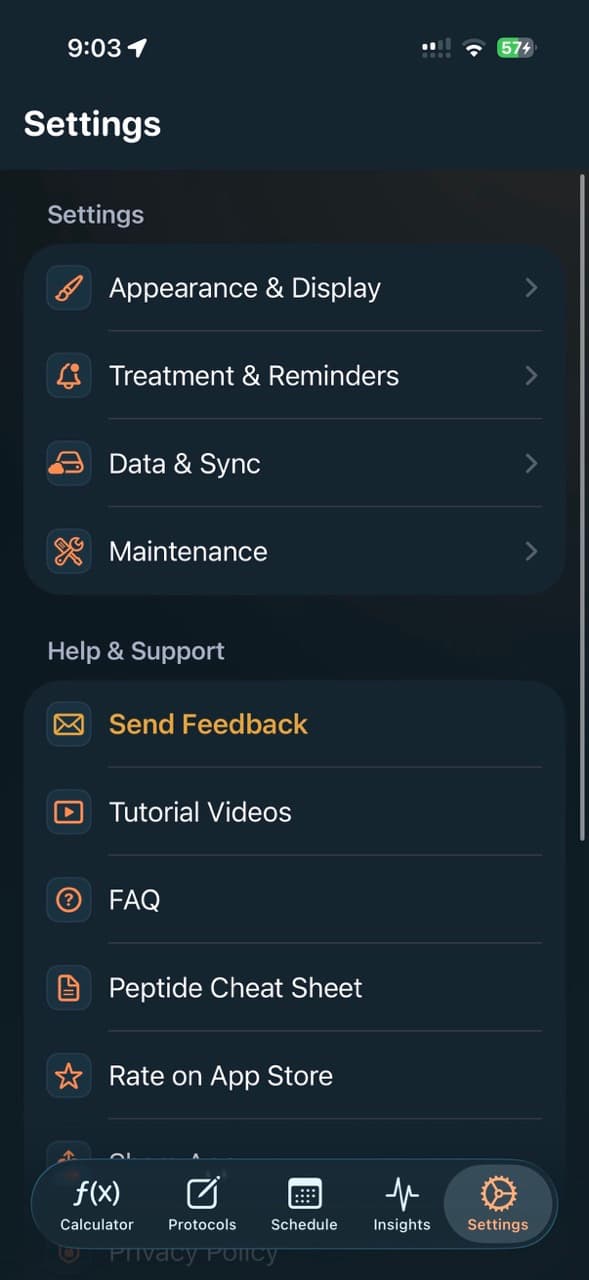
Apple Health authorization, imported-sample deletion, iCloud sync, backups, imports, exports, and the Privacy Policy are reachable from Settings.
Explicit diagnostics disclosure
The app uses Firebase Analytics for product-usage events, Firebase Crashlytics for crash and non-fatal error diagnostics, and Apple MetricKit diagnostics as described in the Privacy Policy.
How to choose the data options you want
- 1
Use the app without a login
Create and manage PeptideCalc records without registering a separate account or providing an app username and password.
- 2
Choose whether to sync
Leave iCloud sync off for on-device app records or explicitly enable supported-data sync through your signed-in Apple Account.
- 3
Review optional access and disclosures
Authorize Apple Health only if wanted, manage it separately from iCloud, and review the Privacy Policy for analytics and diagnostic details.
Scope and limitations
What the app does not decide
- PeptideCalc transmits limited product-usage analytics and crash or diagnostic data through Firebase and Apple facilities as disclosed in the Privacy Policy.
- Turning iCloud sync off pauses PeptideCalc iCloud traffic, but changes made while it is off can remain queued and sync if you enable it again; turning sync off is not the same as deleting existing cloud data.
- Optional iCloud data is also subject to Apple account, platform, and service behavior outside PeptideCalc.
- Apple Health import is read-only and imported samples are excluded from PeptideCalc iCloud Sync, app-created backups, and exports, but enabling it still grants the app access to the Health categories you authorize.
- Apple-managed device backup or restore can separately include the local app container depending on Apple systems and device settings.
- PeptideCalc does not provide a guarantee of anonymity, end-to-end encryption, or zero data collection.
Frequently asked questions
Do I need to create a PeptideCalc account?
No. PeptideCalc has no separate app login. If you enable optional iCloud sync, it uses the Apple Account already signed in on the device.
Are PeptideCalc records stored locally by default?
Yes. PeptideCalc iCloud sync starts off, so core records use local app storage unless you enable supported-data sync. Apple device backup or restore, user-created exports, analytics, and diagnostics are separate from that setting and are described in the Privacy Policy.
What happens when I turn iCloud sync off?
PeptideCalc pauses iCloud traffic. Local changes made while sync is off can remain queued and sync if it is turned back on, so disabling sync should not be treated as deletion of data already stored in iCloud.
Does PeptideCalc write data to Apple Health?
No. The Apple Health integration is read-only. Imported samples stay device-local and are excluded from PeptideCalc iCloud Sync, app-created backups, and exports. Apple-managed device backup and restore is separate.
Does PeptideCalc collect analytics or crash diagnostics?
Yes. PeptideCalc uses Firebase Analytics, Firebase Crashlytics, and Apple diagnostic facilities. The Privacy Policy describes event categories, crash or error context, device and app information, and service-provider processing.
Related PeptideCalc pages
Privacy Policy
Read the current disclosures for app, website, analytics, diagnostics, and service providers.
Peptide tracker app
Review the records and tracking tools available without a separate PeptideCalc login.
Complete iOS app overview
See PeptideCalc features, requirements, price, sync, and data-management options.
Keep your own records together on iPhone or iPad
PeptideCalc is available for a $4.99 one-time purchase and does not require a PeptideCalc account.