User-entered administration records
Injection Site Tracker for iPhone and iPad
PeptideCalc lets you attach a built-in or custom administration site to a dose log and review last-used hints and site history later.
The tracker preserves the location information you choose alongside the rest of your dose record. The public 2.7.7 app records your choices; the upcoming 2.7.9 release can also surface the eligible site in your history with the longest rest as a recordkeeping shortcut, without evaluating anatomy or clinical suitability.

$4.99 once · iPhone and iPad · iOS 18.6 or later
Product facts
- Platform
- iPhone and iPad running iOS or iPadOS 18.6 or later.
- Price
- $4.99 as a one-time App Store purchase.
- Account
- No PeptideCalc account is required.
- Sync
- Optional iCloud sync is available for supported app data across signed-in Apple devices.
PeptideCalc uses app analytics and crash or diagnostic reporting as described in its Privacy Policy.
What it does
Injection-site records and history context
Site attached to each log
Choose an administration site while logging a dose so the selected site remains part of that dose record.
Built-in site choices
Select from the administration sites included for the applicable medication form when you record a dose.
Custom administration sites
Create and name custom sites, then make them available for the medication forms you select.
Last-used hints
Review factual site-use context from your history when choosing a site for a dose log.
Site history
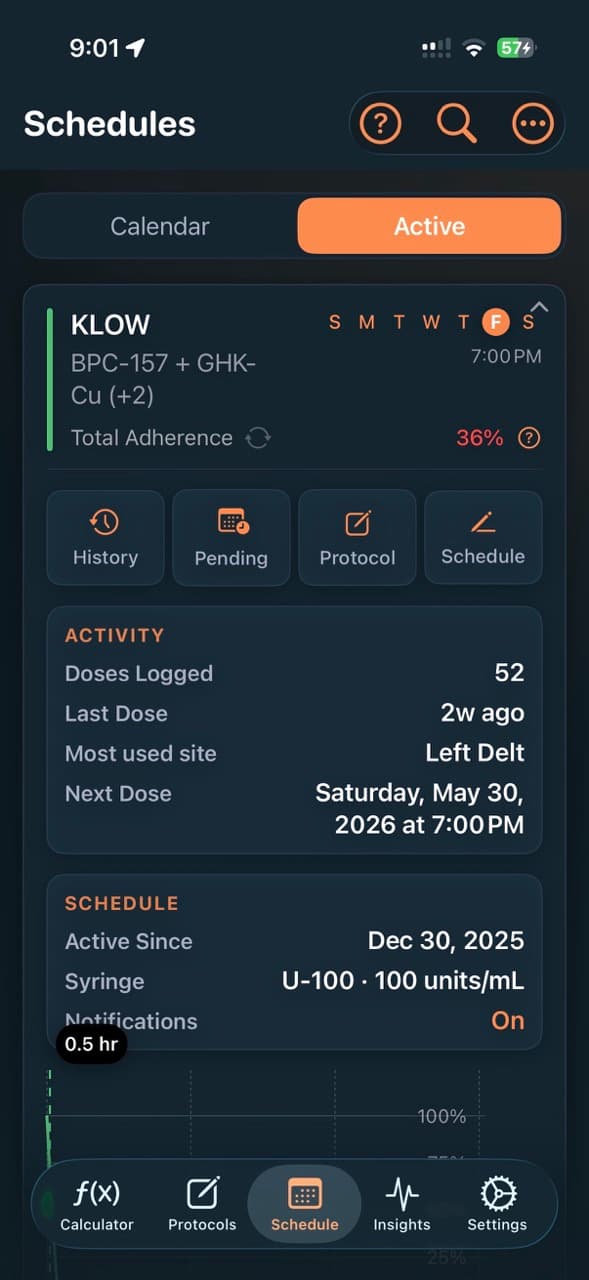
Revisit the sites attached to prior dose logs and see site-related activity within schedule details and history.
Optional iCloud sync
Optionally sync supported injection-site and dose-log data across your signed-in Apple devices through iCloud.
How site tracking works
- 1
Use a built-in or custom site
Select an existing administration site, or create a custom site with the name and applicability you choose.
- 2
Attach it to your dose log
Choose the site while recording the dose so it is saved with the rest of that user-entered log.
- 3
Review the history later
Use prior dose records, site history, and last-used hints as a factual record of what you previously entered.
Scope and limitations
What the app does not decide
- The app records the administration site you select; it does not tell you which body area is appropriate for a medication.
- The upcoming 2.7.9 release can surface the eligible site in your history with the longest rest as a recordkeeping shortcut; it does not evaluate anatomy or clinical suitability.
- Custom site names and their applicability are defined by the user, not validated as medical instructions by PeptideCalc.
- iCloud sync is optional and applies only to supported app data. App analytics and crash or diagnostic reporting are described in the Privacy Policy.
Frequently asked questions
What does the PeptideCalc injection site tracker record?
It records the built-in or custom administration site you select for a dose log and lets you review that site information in history and schedule details.
Can I create a custom injection site?
Yes. You can name a custom administration site and choose the medication forms for which it should appear, then select it when logging a dose.
Does PeptideCalc recommend where I should inject?
The public 2.7.7 app records the site choices you enter. The upcoming 2.7.9 release can surface the eligible site in your history with the longest rest as a recordkeeping shortcut; it does not evaluate anatomy or clinical suitability.
What are last-used site hints?
Last-used hints summarize site information from prior records so you can see what you previously entered; they are not medical or rotation guidance.
Can injection-site history sync between iPhone and iPad?
Optional iCloud sync can sync supported injection-site and dose-log data across signed-in Apple devices. No PeptideCalc account is required.
Related PeptideCalc pages
Peptide tracker app
Explore protocols, dose logs, inventory, reminders, and related recordkeeping tools.
Peptide schedule tracker
See how PeptideCalc handles the schedule cadence and reminder times you enter.
Privacy Policy
Read how local data, optional iCloud sync, analytics, and diagnostics are handled.
Keep your own records together on iPhone or iPad
PeptideCalc is available for a $4.99 one-time purchase and does not require a PeptideCalc account.