How to Duplicate a Protocol in PeptideCalc
Direct answer
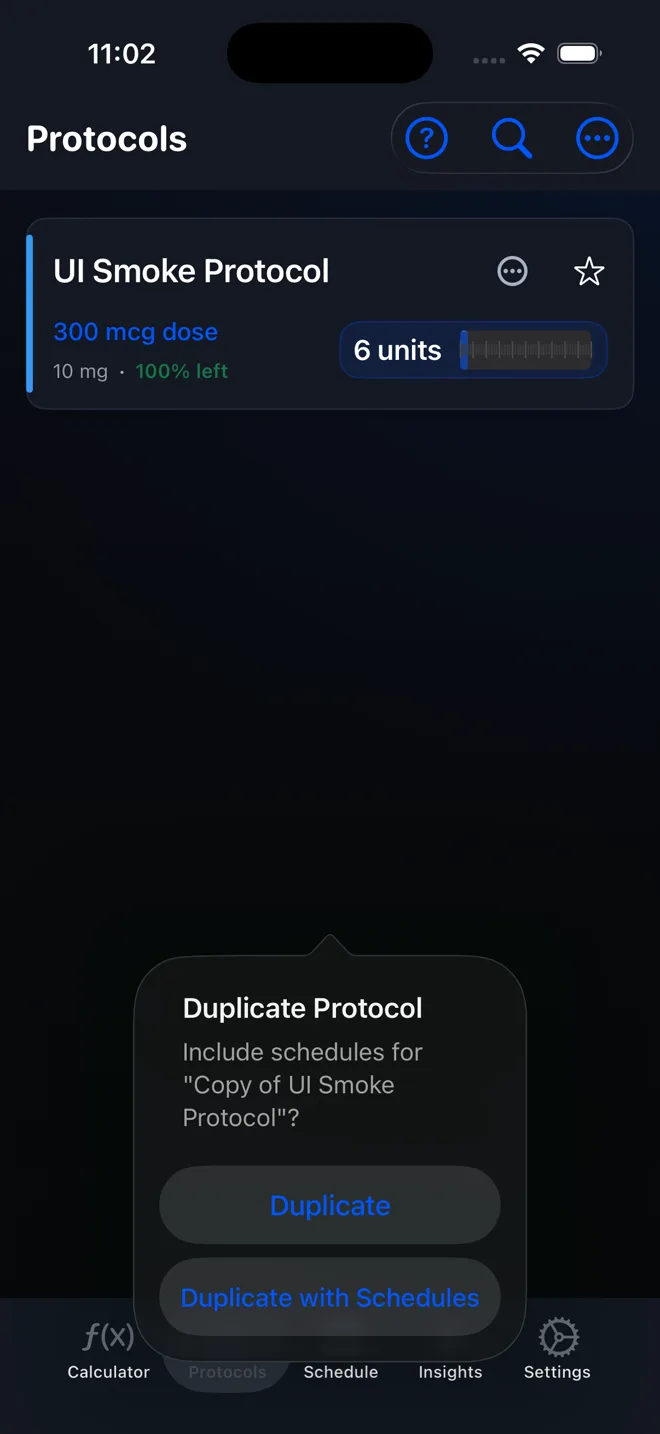
On Protocols, open View options, choose Duplicate Protocol under Protocol Actions, select the protocol, tap Next, name the copy, and tap Next again. If asked, choose Duplicate for the protocol only or Duplicate with Schedules only when you also intend to copy its schedules.
Duplicating is useful when a new protocol should begin with the same saved settings as an existing one. Give the copy a distinct name and review every field before using it.
Duplicate with Schedules can create an additional active schedule and reminder stream. Check Schedules and notification settings immediately so the copy does not produce reminders you did not intend.
Scope: This page explains PeptideCalc controls and software workflows. It does not choose a medication, dose, liquid, syringe mark, preparation method, or administration technique. Use the product label and instructions from a licensed clinician or pharmacist to decide whether any input or result is appropriate. A duplicated protocol is a separate record. Copying schedules can also duplicate future scheduling and reminders.
These labels and steps were checked in the public PeptideCalc 2.7.7 app on .
See the steps in PeptideCalc
Step-by-step instructions
Step 1: Open View options on Protocols
Open Protocols and tap the three-dot button labeled View options in the top-right corner.
Step 2: Choose Duplicate Protocol
Under Protocol Actions, tap Duplicate Protocol.
Step 3: Select the protocol
On Duplicate Protocol, select the one protocol you want to copy, then tap Next.
Step 4: Name the duplicate
On Name Duplicate, review the suggested Protocol Name or enter a distinct name, then tap Next.
Step 5: Choose whether to copy schedules
If the original has schedules, choose Duplicate to copy only the protocol. Choose Duplicate with Schedules only when you deliberately want new copies of those schedules too.
Step 6: Review the copy
Open the new protocol and review its saved details. If you used Duplicate with Schedules, open Schedules immediately and review the copied schedule dates, status, and reminders.
Questions about this PeptideCalc workflow
What does Duplicate with Schedules do?
It copies the protocol and its eligible schedules. That can create an extra active schedule and reminder stream, so review Schedules immediately.
How do I copy only the protocol?
When the final Duplicate Protocol choices appear, tap Duplicate instead of Duplicate with Schedules.
Should I keep the suggested duplicate name?
You can, but a distinct Protocol Name makes the original and copy easier to tell apart. Review the name before tapping Next.
Does Duplicate copy logs, history, or inventory?
Duplicate copies the saved protocol fields, including protocol-level Inventory & Safety details, but it does not copy past dose logs or history and it does not keep the original linked inventory item. Duplicate with Schedules also creates new copies of eligible schedules and their reminder settings; it still does not copy the original logged history. Review the new protocol's Stock card and Schedules after duplicating.
Follow the steps in PeptideCalc
Check Apple's listing for the current price, compatibility, and availability.

Related PeptideCalc resources
Browse all PeptideCalc tutorials.