Import compatibility
Import Shotsy Data into PeptideCalc
PeptideCalc previews supported Shotsy .shotsyjson and CSV exports, then merge-imports compatible protocols, schedules, dose history, injection sites, and body or Insights records with no replace-all action.
The preview identifies what can be added and surfaces warnings for entries the converter skips or adjusts. Import compatibility is a data-migration tool, not a validation of any medication, dose, schedule, or site contained in the export.

$4.99 once · iPhone and iPad · iOS 18.6 or later
Product facts
- Platform
- iPhone and iPad running iOS or iPadOS 18.6 or later.
- Price
- $4.99 as a one-time App Store purchase.
- Account
- No PeptideCalc account is required.
- Sync
- Optional iCloud sync is available for supported app data across signed-in Apple devices.
PeptideCalc uses app analytics and crash or diagnostic reporting as described in its Privacy Policy.
What it does
What the Shotsy import supports
Two Shotsy export formats
Choose a Shotsy .shotsyjson file or a Shotsy-formatted CSV export from the PeptideCalc Import Data file picker.
Preview before import
PeptideCalc parses and stages the file first, then shows a preview of records that can be added before any supported data is imported.
Merge-only behavior
Shotsy imports do not provide the replace-all option used by full PeptideCalc backups. The converter can reuse or update matching supported records and add new records shown in the preview.
Core tracking records
When present and importable, converted records can include medications as PeptideCalc protocols, schedules, scheduled or as-needed dose history, and injection sites.
Supported body and Insights values
The converter can carry supported weight, lean-mass, body-fat, and exercise-duration values; recognized CSV symptom fields become manual Insights entries.
Visible conversion warnings
The preview reports skipped, unsupported, or adjusted rows, including invalid dates or doses, schedule conversion limits, and unrecognized metric or note types.
How to preview and merge a Shotsy export
- 1
Export from Shotsy
Create a .shotsyjson or Shotsy CSV export and save the file somewhere available through the iOS or iPadOS file picker.
- 2
Open Import Data
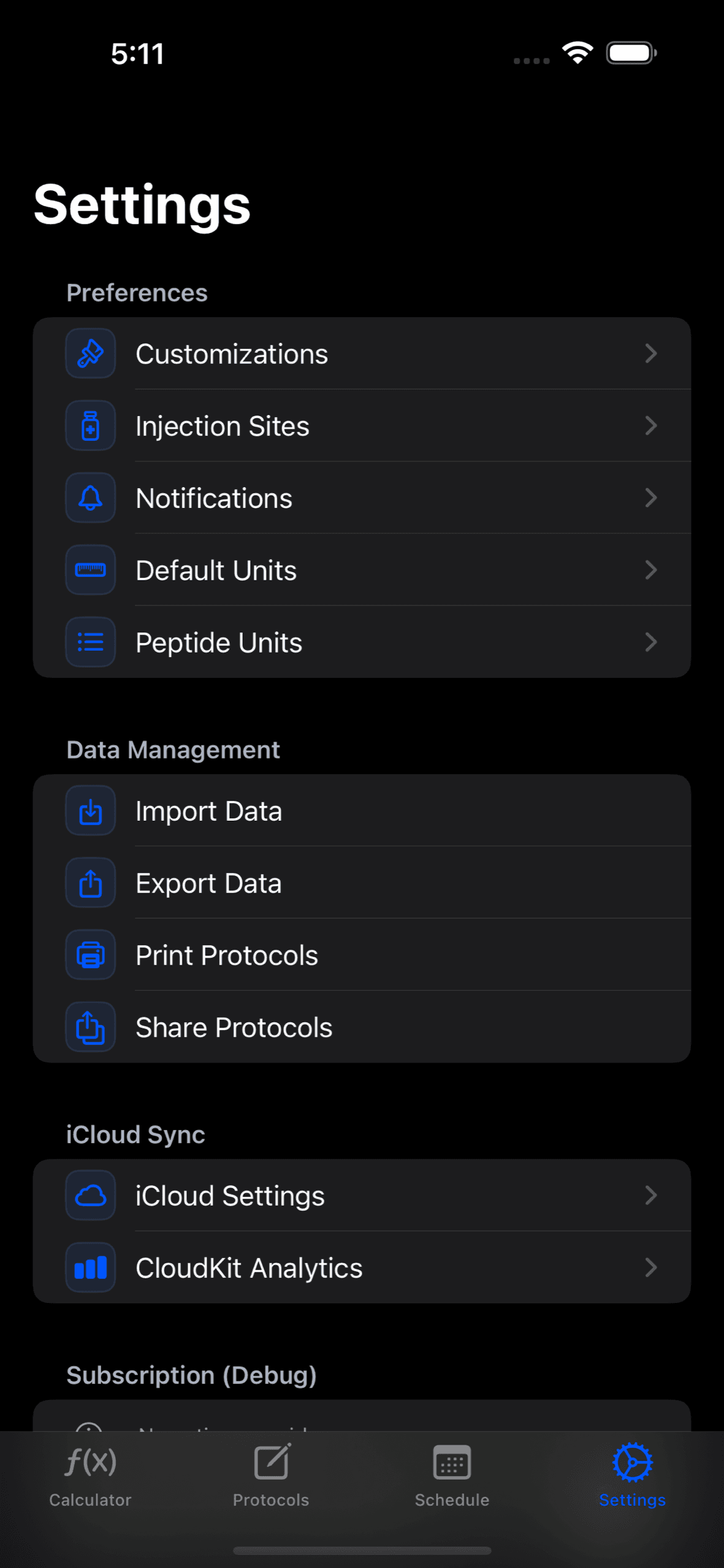
In PeptideCalc, open Settings, choose Data & Sync, open Import Data, select the file, and wait for the preview to finish.
- 3
Read the preview and merge
Review the record summary and every warning, then choose Import Shotsy Data only if the converted result matches what you expect.
Scope and limitations
What the app does not decide
- Shotsy import is merge-only. It cannot replace all existing PeptideCalc data, and it is not a full PeptideCalc backup restore.
- Only schedules with importable timing and whole-day recurrence intervals can be converted; missing or invalid schedules may be skipped.
- Average medication-level calculations and Shotsy injection-site rotation preferences are not imported.
- Shotsy exports do not supply the vial concentration, syringe-draw, and on-hand inventory details PeptideCalc needs, so those values are not reconstructed.
- Invalid or unsupported records may be skipped or adjusted with a warning. Always inspect the preview and verify imported records yourself.
- PeptideCalc is not affiliated with, endorsed by, or sponsored by Shotsy. The Shotsy name is used only to describe supported export-file compatibility.
Frequently asked questions
Which Shotsy files can PeptideCalc import?
PeptideCalc recognizes Shotsy .shotsyjson exports and CSV files with the expected Shotsy export columns. A generic or unrecognized CSV is rejected rather than treated as Shotsy data.
What Shotsy records can be converted?
Depending on the valid contents of the export, PeptideCalc can convert medications into protocols, importable schedules, scheduled and as-needed dose records, injection sites, weight, lean mass, body fat, exercise duration, and supported symptom values.
Will a Shotsy import replace my existing PeptideCalc data?
Shotsy import does not expose a replace-all action or delete the current PeptideCalc dataset. It can reuse or update a matching supported record and add new records, so review the preview and warnings before confirming.
What happens when some Shotsy data is unsupported?
The preview shows warnings for skipped, unsupported, or adjusted entries. Examples include invalid dates or doses, unsupported schedule intervals, average medication levels, rotation preferences, and unrecognized notes or metrics.
Is PeptideCalc affiliated with Shotsy?
No. PeptideCalc is not affiliated with, endorsed by, or sponsored by Shotsy. Compatibility is provided so users can move supported records from their own export files.
Related PeptideCalc pages
Peptide tracker app
See the protocol, schedule, dose-history, site, and inventory records used after import.
Peptide inventory tracker
Learn which stock details must be entered in PeptideCalc because Shotsy exports do not provide them.
Complete iOS app overview
Review PeptideCalc import, backup, calculation, tracking, and sync features.
Keep your own records together on iPhone or iPad
PeptideCalc is available for a $4.99 one-time purchase and does not require a PeptideCalc account.